1. AI hackathon
November 2024 project
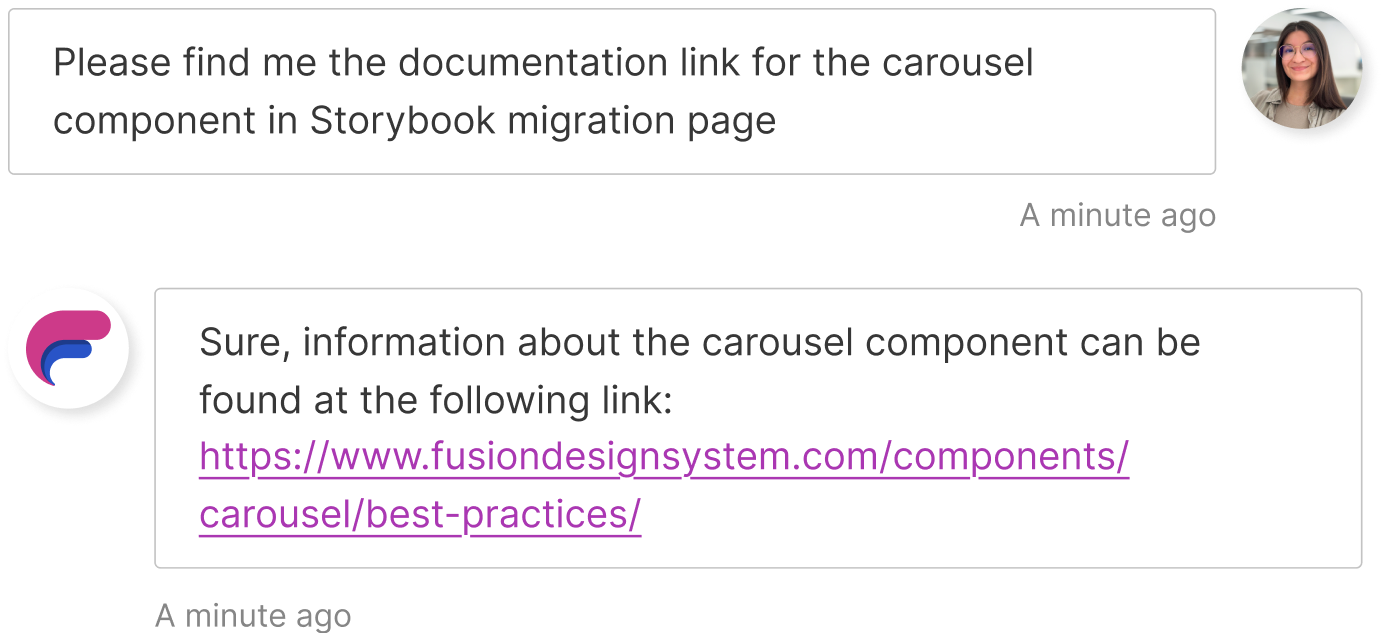
The story of how my team won first place at hackathon with an AI chatbot assistant capable of answering any questions about the design system. 🤖

1/3
About AI hackathon @Waters
From a simple idea about creating an AI chatbot to a fully implemented project that won first place at the hackathon for the best AI.
My colleagues, Vlad, Cristi, David and Nicu, worked at the chatbot and I helped providing the necessary informations about our design system (named Fusion), the process and most frequently asked questions so far. I also created the presentation and edited the presentational video to share with all the teams.
Note: My work at Waters is confidential and some visuals, namings and details are changed.
My role: Design system designer
Project duration: One week
The project: A functional AI assistant for our design system, integrated in Microsoft Teams
About: Hackathons, Artificial intelligence (AI), trainning AI, collaboration, teamwork, presentation
2/3
The challenging part
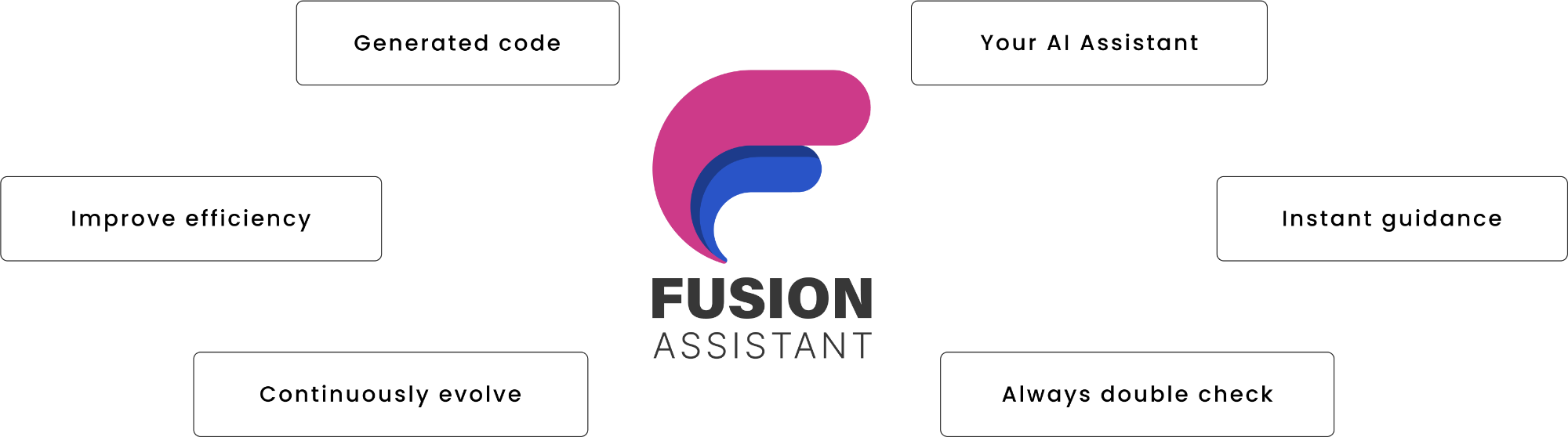
👻 Training the AI can be tricky, first of all, it needs to have access to all data about our design system and if the information is wrong or incomplete in a place, the assistant can give the users wrong data. We need to communicate with the teams and be transparent about what are the limitations when using AI and what are the risks.
🖥️ Generate coded content with Copilot using the Fusion design system components library: Teams can use the AI assistant to implement a component in their project, but it's not working perfect all the time, they still need to double check on the UI documentation guide.
Why did we win?
📡 We showcased strong communication through a clear and engaging presentation, along with a video that effectively demonstrated how the AI assistant works.
😇 We were honest and transparent about what we currently have, what isn’t working, the potential risks, and how we plan to address any issues that may arise.
⏰ Our idea aims to assist design system users instantly, saving time for them and us, compared to reaching out to the support channel. I would like to thank our manager, Nicu, for his support and valuable ideas that helped bring this project to life.
3/3
How did we do this?
We came with the idea to create a document with the most frequently asked questions and train our AI assistant with it. We also trained it after our UI documentation guide and implemented components from Storybook.
Questions like:
"What is the difference between core components and recipe components?"
"I want to learn more about accessibility."
"What is a design system?"
"What’s new in the design system?"
"What is a disabled state?"
"What are the differences between patterns and recipes?"
"What is the difference between CSS tokens and CSS variables?"
"What is the difference between design tokens and Figma variables?"
"When is the next release?"
"How many teams are using Fusion design system at the moment?"
"How many components are in our design system?"
Learnings and conclusions
🎬 AI requires diverse datasets to handle a wide range of scenarios. If the data is too narrow, the AI may not generalize well, causing it to fail in situations outside the training examples.
🤖 Training AI with information is a careful and iterative process that involves constant monitoring, tweaking and testing to achieve desired outcomes.
💪 Collaboration and synchronization with your colleagues are the most powerful tools when creating and experimenting with something new. Thank you, folks! 🩵
2. Design tokens hackathon
December 2023 project
A successful story that began from fun exploratory project to upskilled and improved the syncing for design tokens between design and code. 🎉

1/7
About Christmas hackathon @Waters
Check out these funky, ugly & cute (in the same time - somehow) Christmas tokens and components I've been working on!
With the holiday spirit in full swing, my colleagues and I decided to spice things up and join the Christmas Hackathon this year. We wanted to learn more about the remote syncing GitHub repository with Tokens Studio Figma plugin and create some christmassy components to test this - just for the fun of it, something a bit different from our usual work.
My role: Design system designer
Project duration: Three days
The project: Explore and learn how to improve the sync for the design tokens between Tokens Studio plugin and GitHub repository
About: Hackathons, GitHub, design tokens, team work and collaboration

2/7
Evolution: before & after
📜 What we had before? Using the Tokens Studio plugin, our design team could define design tokens (like colors, spacing or typography) directly in Figma, then devs manually export the JSON file and drop it into the repo.
🔧 Why we needed to improve this experience? Before variables launched in Figma in July 2023, designers often asked where to find the latest design tokens. It took some time to learn and test with variables and we also needed a more reliable and transparent way to share token updates.
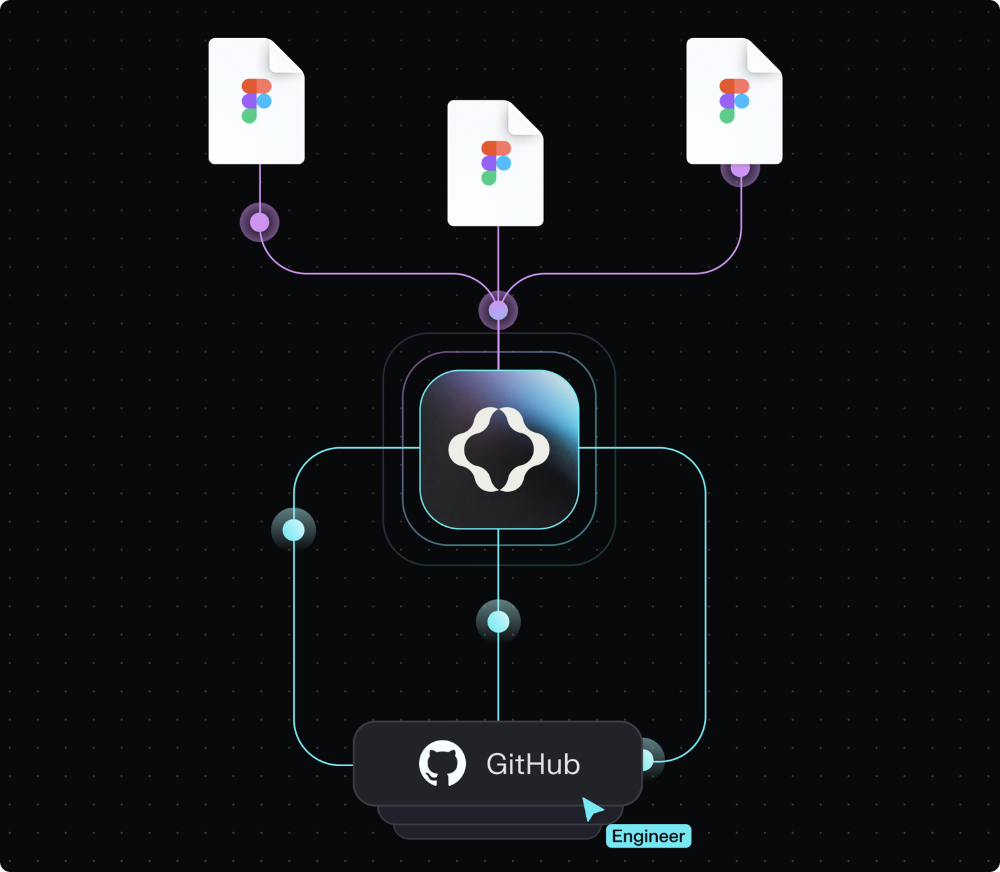
💎 What we managed to do and what was the impact? Using Token Studio’s GitHub remote sync, we pushed and pulled tokens directly between Figma and the GitHub repo. This setup made collaboration smoother and kept design and code perfectly aligned.
3/7
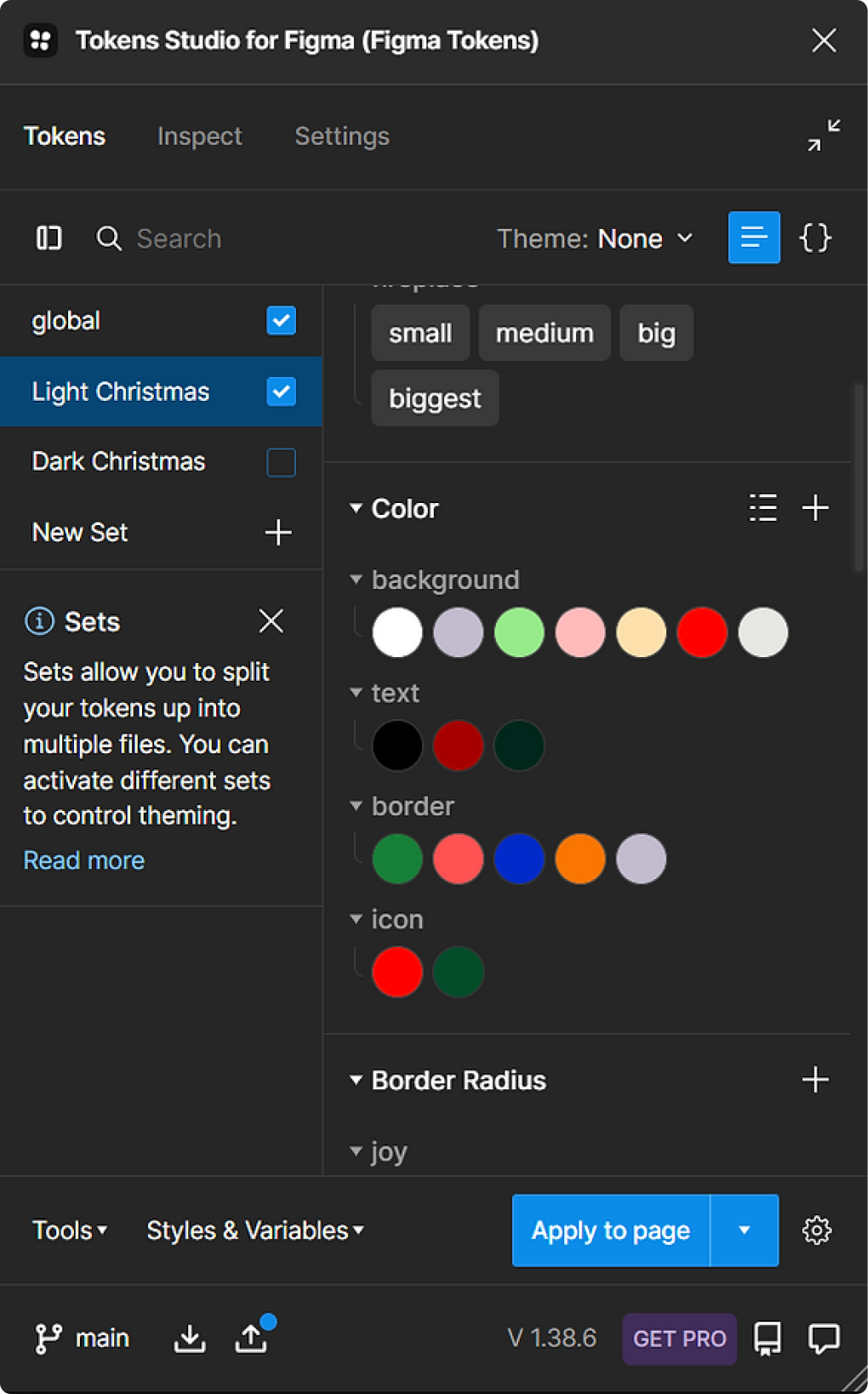
Tokens
We have three tiers of tokens: global, semantic and component tokens.
→ Tier 1, the "global" ones, is the foundation of the design system, here we have all the design decisions (all the palettes for colors, sizing, shadows, borders, spacing etc.).
→ In tier 2 we have the semantic tokens that typically reference only the primitive tokens but include guidance on how colors should be used in text, the types of text to use, etc., embedding both meaning and guidance within.
→ And finally, in tier 3 are the component tokens that are specific to individual components and generally refer to semantic tokens.
4/7
How Christmas components look like?
Just a few components here, but christmassy enough🎄🤶❄ That's how they looks like in light and dark mode:
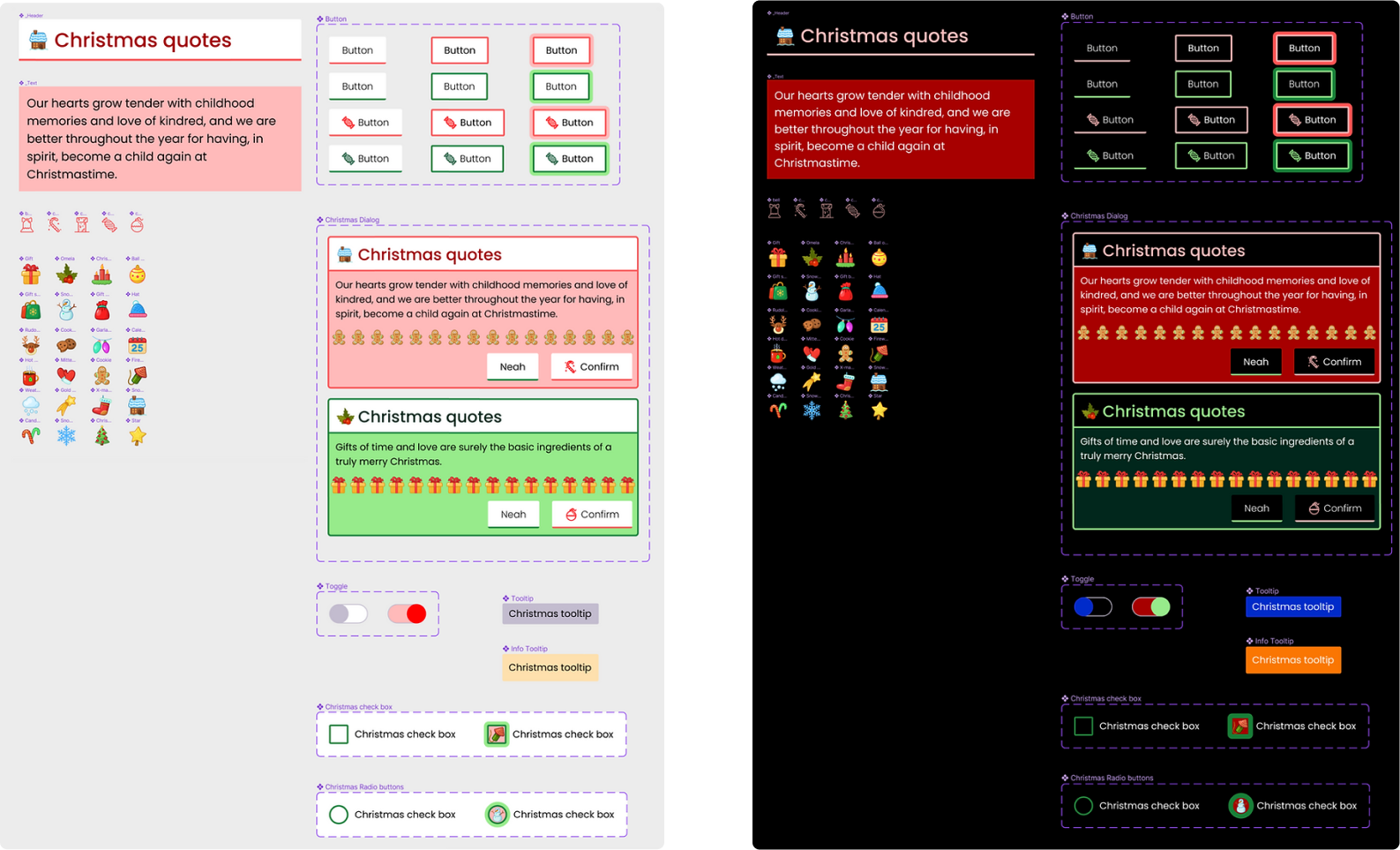
Note: Thanks Figma Community for the adorable icons!
5/7
Design and development
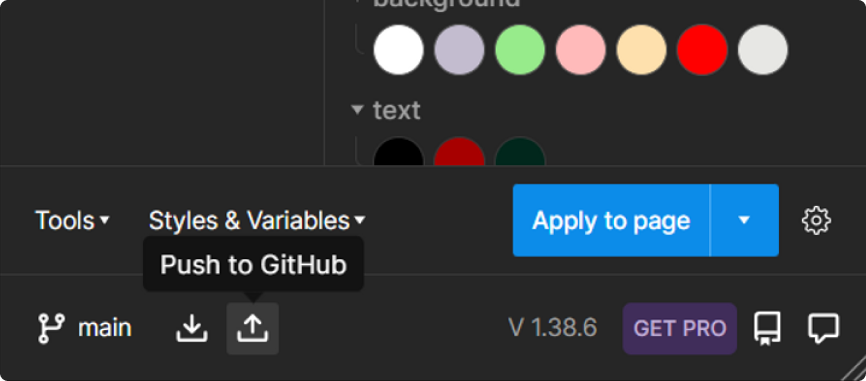
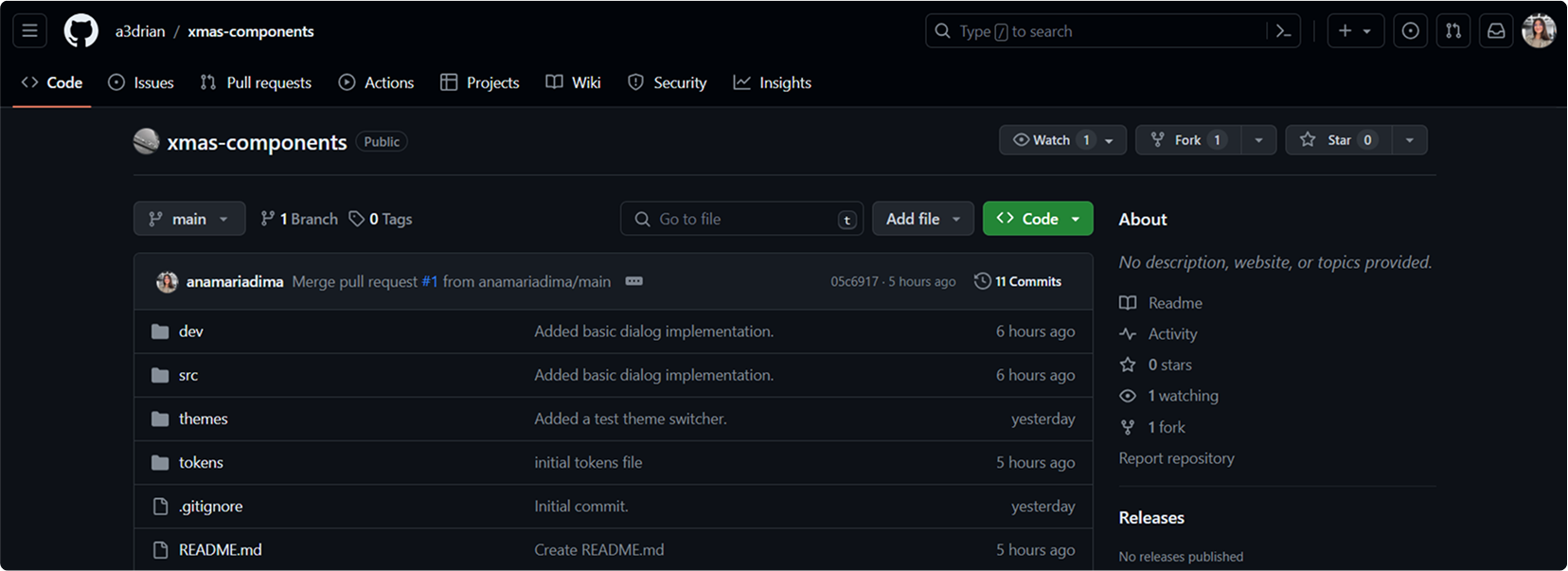
With this remote sync, you can easily create automatic pull requests in a GitHub branch and let the dev team review them, or simply push the changes to the main file if a review is not necessary (though, we never push changes directly to the main file, so we need to respect the rules, folks). Additionally, the dev team can make changes directly in the code and designers can “pull from GitHub” to keep the tokens in sync at all time. Feels like a Christmas miracle to me!
6/7
Integrate the concept into the core project
After this little exercise, David, Sean, and I implemented this syncing in our main project - and it’s working better than ever. Pretty good for just a couple of days of hackathon, right? We learned a lot, had fun and later on - we documented everything, scheduled meetings and provided recordings for anyone who wants to learn more about tokens or use the plug-in. Thank you, team!
7/7
Learnings
🧑🤝🧑🧑🤝🧑 Hackathons like this bring together diverse minds, allowing playful ideas and open collaboration to inspire innovative solutions.
🛝 A simple rough idea at a hackathon can turn into a polished solution: This started as an experiment during a hackathon and turned into an important part of our design system.
🙋🏻♀️ By improving the syncing between Figma and GitHub for tokens, we made things easier for the design system team members. We also implemented a more transparent workflow for our designers across the organization. Everything stays in sync within moments, and we’ll never need to search for the latest JSON file again.
👀 I love learning from my teammates and sharing what I know with them too. It’s great to see how different people work and how sharing new ideas/skills makes us all better together. When we share and learn from each other, the whole team grows and our work improves. (P.S. I love Hackathons)
Thank you & Merry Christmas, no matter the time of the year, haha 🎄
© 2025 Designed and implemented by Ana